
Manage your entire workforce, from hiring to daily operations
All your employee data, attendance, leave, and teams in one powerful system.
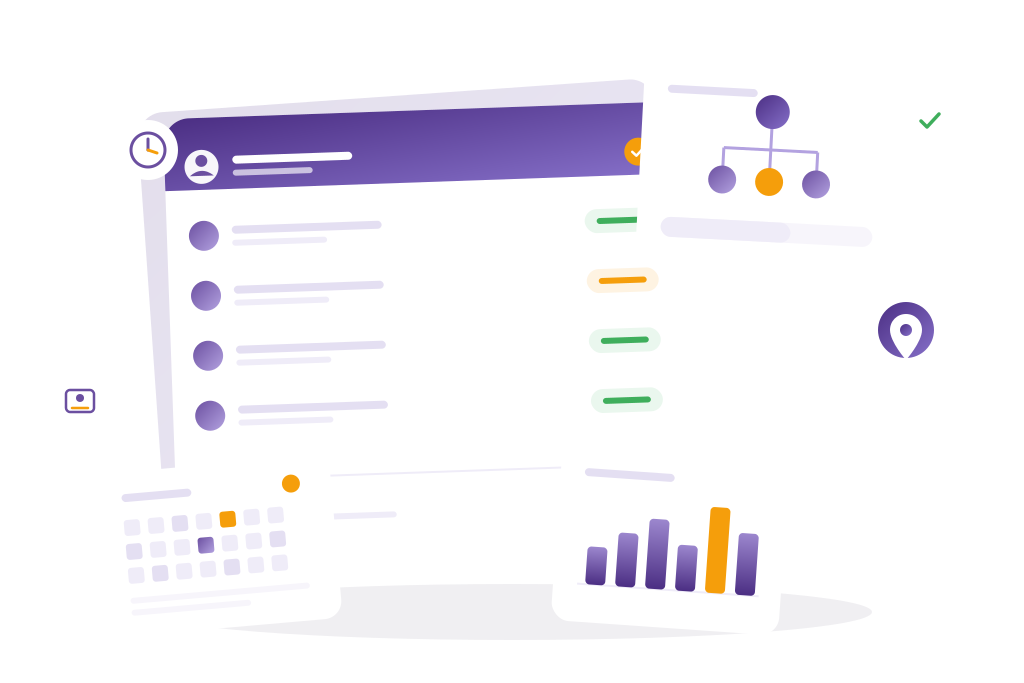
Everything your HR needs in one platform.
Utso HRM saves time, reduces errors, and gives you complete visibility across your organization.

Employee Management
- Centralized employee directory with photo & contact card
- Individual Employee Card pages storing job details, salary link, documents, and history.
- Department and role tagging for quick filtering.
- Active/inactive employee toggle with instant status updates.

Budget & Expense Management
- Manage budgets by department, project, or cost center.
- Link (tag) expenses directly to budget lines for live utilization tracking.
- Staff submit expenses, managers approve, money gets paid back.
- Budget vs. Actual graph (auto-generated).

Asset Management
- Track company assets by category, location, or assigned employee.
- Asset lifecycle management (purchase → issue → return).
- Flag damaged/lost assets and notify Finance automatically.
- Syncs with HRM for assigned user mapping.

Absence, Leave & Holiday Management
- Leave policy creation (annual, sick, maternity, etc.)
- Configurable approval hierarchy.
- Paid/unpaid leave calculation linked to Payroll.
- Public holiday management by branch or region.
- Automatic leave balance tracking

Attendance & Late Management
- Real-time attendance capture (manual, biometric, or GPS).
- Late arrival detection with configurable grace period.
- Live dashboard: on-time %, late %, absent % by department.
- Export to a spreadsheet for payroll.

Team & Access Management
- Create teams or sub-teams for departments or projects.
- Assign managers or supervisors to oversee specific users.
- Configure hierarchical access rights (e.g., HR > Manager > Employee).
- Define Access Groups: dynamic permission sets across HRM, Projects, or Analytics modules.

Organization Chart
- Auto-generated org chart from employee and team data.
- Drag-and-drop rearrangement (Admin only).
- Colour coding by role, for example HR, Manager, and Employee.
- Export as PDF for HR files.

Project Management
- Assign employees to internal or client projects.
- Project dashboard showing tasks, deadlines, and responsible team.
- Track progress by status (Ongoing, Completed).
- Integrates with Attendance for project-wise time analysis.

Task Management
- Individual task creation and tracking per employee.
- Tasks can be linked to projects or departments.
- View daily/weekly to-dos inside employee dashboard.
- Managers can comment and mark as complete.

Onboarding Management
- Create onboarding checklists per role.
- Assign HR/Manager responsible for completion.
- Auto-generate welcome emails and document upload links.
- Track progress of each new hire (Pending / Completed).

Shift Management
- Define work shifts by time or location.
- Auto-assign employees to shifts based on schedule or department.
- Manage night shifts, weekend rosters, and flexible patterns.
- Integrates with attendance for real-time validation.

GPS Tracking
- Live GPS attendance option for field staff.
- Capture geolocation at clock-in/clock-out.
- Map visualization of daily routes.
- Optional geofencing per branch/project.
Fits the way your business already works
Utso HRM connects with every part of your business. See how it fits with Payroll and Analytics.
Empower your team with a smarter HR system.
Start free and manage your team effortlessly with Utso.
Why Bangladeshi businesses choose Utso for HR management
Search for hr management software Bangladesh and you'll find two kinds of tools: global HR platforms translated into Bangla as an afterthought, and small local tools that handle one piece of the job and leave the rest to spreadsheets. Utso HRM is built as all-in-one HR software Bangladesh companies can run the entire employee lifecycle on, hiring through offboarding, attendance through leave through shift rosters, inside one login instead of five.
It's also genuinely cloud-based HR software Bangladesh teams can access from any browser, with each company's records kept completely apart from every other company's, the same kind of separation banks expect for sensitive records. Core HR comes with every account at 50 BDT per working employee per month. Every new company also gets a 2-month free trial of everything before any bill starts. That is enough time to set up, clean up your records, and test properly without paying anything. Switching between the companies you manage doesn't require logging in again either.
More than an employee list: what runs underneath Utso HRM
A human resource management system BD businesses can rely on has to get the boring parts right: who can see what, who approves what, and what happens automatically once a policy is set. Here's what's actually running underneath the dashboards above.
Control over who sees what, beyond just admin and employee
Utso comes with 43 separate permissions and 12 ready-made roles: HR Manager, Finance Officer, Operations Manager, Payroll Officer, and more. A department head can approve leave without being able to touch payroll. A support person can see the staff directory without seeing salaries. Take someone's access away and they are logged out everywhere straight away. Every change to who can see what is recorded, with who did it, when, and exactly what changed.
A notice board with proof someone actually read it
Company-wide announcements go out with categories and file attachments, and each one tracks acknowledgement, so HR knows exactly who has opened and confirmed a policy update instead of assuming an email got read. When a new leave policy or safety notice goes out, you can see who has actually acknowledged it, not just who it was sent to.
Leave rules that match how Bangladeshi companies actually run leave
Leave types, annual, sick, casual, unpaid, or anything custom, can be given in full at the start of the year or built up month by month. You can make staff finish probation first, limit a leave type by gender or job type, set how much notice is needed, and ask for a document where it matters. Unused balance can carry over with its own expiry rule instead of just resetting to zero, the system checks for overlapping requests before a leave gets submitted, and managers see their whole team's calendar and pending approvals on one screen. Once a leave request is approved, payroll knows about it straight away, so the deduction is already there at the end of the month and nobody types it in again.
Shift scheduling employees can check for themselves
Managers can build the roster three ways: a colour chart showing where you are short of people, a grid of who works which day, and a single-day timeline. Rotations can repeat daily, weekly, every few weeks, or on your own pattern. Open shifts can be put up for anyone to claim, with a manager approving. Every employee has a My Schedule view, so nobody has to ask what shift they are on next week. You also choose which day your week starts on and how times are shown.
Time tracking that gets the date right even for field and remote staff
The timer works on every page with one click, and each entry can carry up to three tags and be marked billable. You can create a task without leaving the timer. The day is recorded using the employee's own local time when they start, so someone working in a different country still gets counted on the right day. Most timesheet tools get this wrong. Employees get their own My Hours view they can download as a spreadsheet, and managers can approve or reject up to 500 entries at once, with a record of each review.
Built for growing Bangladeshi teams
Utso HRM is built for businesses of roughly 10 to 500 employees, from a single office running its first real HR system to a multi-branch operation where every branch already has its own ZKTeco biometric terminal and nobody wants to add up five separate reports every month. Owners looking for hr software for small business Bangladesh usually don't need every enterprise module on day one, they need attendance, leave, and a notice board that just works, with room to add shift scheduling, payroll, and a full performance review cycle later without switching platforms. And for anyone comparing the best HRM software in Bangladesh feature by feature, the more useful question is usually which one a team will still be using after week one, not which one has the longest list on a comparison page. As employee management software Bangladesh teams rely on daily, not just at month-end, Utso is built so a manager can approve a leave request or check tomorrow's roster from a phone between meetings, and HR can show exactly what happened the moment Finance asks a question about last month's attendance.
Frequently Asked Questions
Is Core HR required, and how much does it cost?
Yes. Core HR is included with every Utso account and billed on usage at 50 BDT per active employee per month. Payroll, Recruitment, and CRM are optional add-ons billed on top of Core HR only if you turn them on.
Does the 2-month free trial cover the full HRM module?
Yes. Every new company gets a 2-month trial across the full platform with no payment details required, so you can run real attendance, leave, and shift cycles before any billing starts.
Can I control what each person is allowed to see?
Yes. Utso comes with ready-made roles like HR Manager, Payroll Officer, and Operations Manager, and 43 separate permissions you can switch on or off. People only see and approve what their job needs, and every change to someone’s access is recorded with who made it and when.
Can employees see their own leave balance and shift schedule?
Yes. Employees have self-service access to their leave balance, including carryover, and a My Schedule view showing their upcoming shifts, without needing to ask HR or a manager.
Does Utso HRM connect to biometric attendance devices?
Yes. Utso pulls attendance from ZKTeco biometric devices automatically on a schedule, even when the devices sit behind an office firewall, alongside a manual timer and spreadsheet upload for teams without biometric hardware yet.
What happens to unused leave at the end of the year?
That depends on the leave policy your company sets. Utso supports carryover balances with their own expiry rules per leave type, so unused leave doesn't have to simply disappear or roll over indefinitely, whichever your policy specifies.
Can I switch between HRM, Payroll, and CRM without logging in again?
Yes. HRM, Payroll, CRM, and Analytics all run inside one authenticated session, and you can switch between companies you manage without re-entering your login details.
Is Utso HRM available in Bangla?
Yes. The interface is fully available in Bangla, not just a handful of translated menu labels on an English layout, alongside English, Hindi, French, and German.
Does Utso HRM include an org chart?
Yes. Utso builds an interactive org chart automatically from your employee and team data, with pan, zoom, and export, so it's never a static PDF someone forgot to update after the last hire.